3D Export
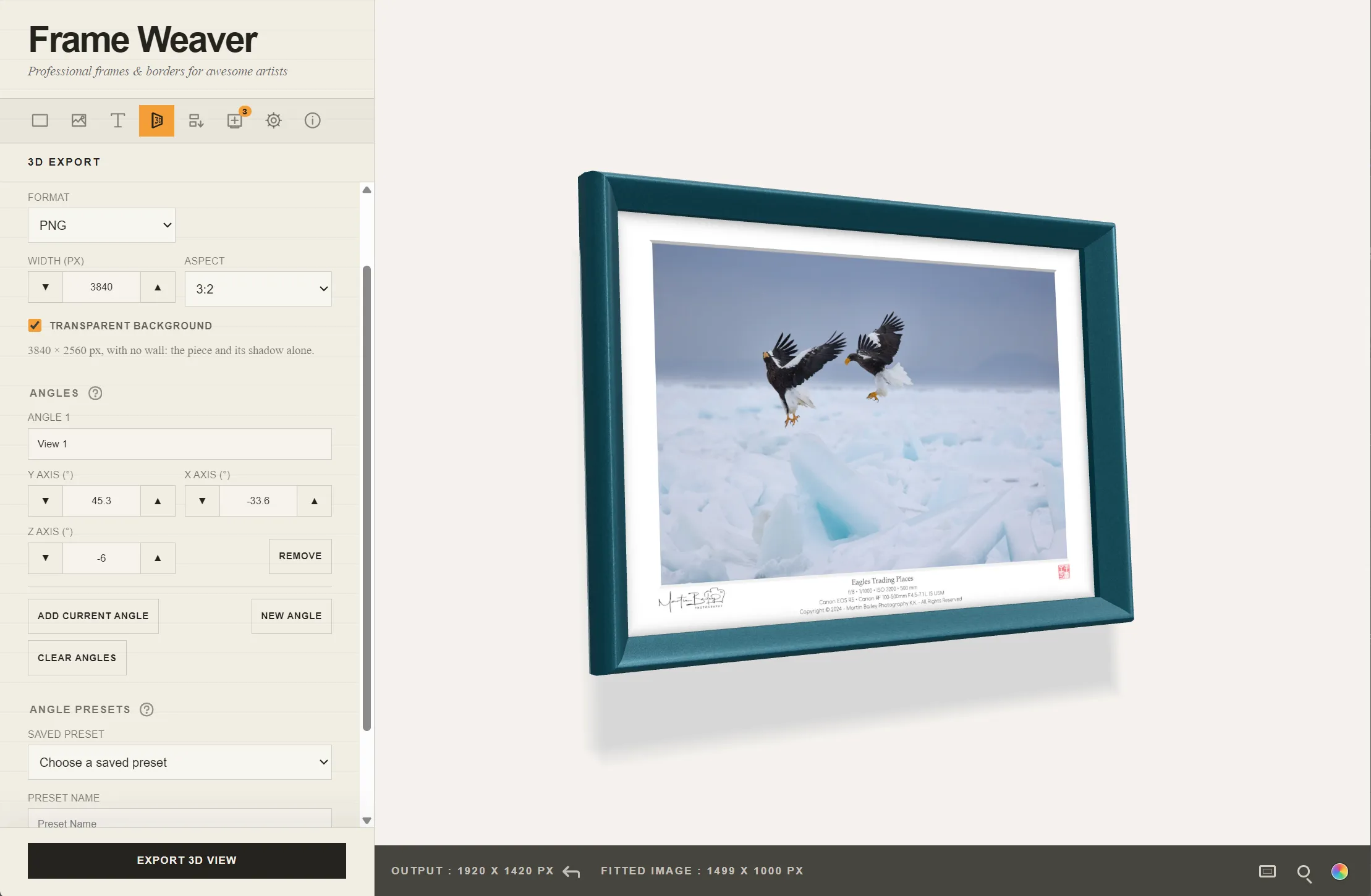
The 3D Export sidebar, between Typography Overlay and Autopilot, saves an image of your framed art viewed at an angle; it is a picture, not a 3D model. It renders the same scene as the turned preview.
- Output: PNG or JPEG, with a quality for JPEG.
A PNG can have a transparent background, with no wall: the frame and its shadow alone, for placing on a photograph of your own wall. Width sets the size, from 640 to 8,192 pixels on a Mac or Windows computer and to 4,096 on a phone or tablet, and Aspect its shape.
- Angles: with none listed, the export is the angle the preview is turned to. Add Current Angle lists that angle, and New Angle lists one straight on. Each angle has a name and Y, X, and Z values in degrees: Y turns the frame about the vertical, X tilts it, and Z rolls it. The preview turns as you change them. Up to ten angles can be listed; Remove deletes one and Clear Angles all.
- Angle presets keep the list of angles by name, to use for another image: choose a saved preset, or type a preset name and Save; with a preset chosen, Update and Delete change it.
Export 3D View writes one file for each angle into the output folder, named after the image and the angle. On a phone or tablet, each is saved to Photos, into the Export sidebar’s album, or to Files, one choice of folder for them all, as the Export sidebar’s destination says. 3D Export works with Screen output: in Print, while the sidebar is open, the status bar says so in red.