The Gallery Console
The Gallery Console opens beside a Gallery, from the Main Console. You walk through the Gallery as a visitor does while you change it, and every change shows at once.
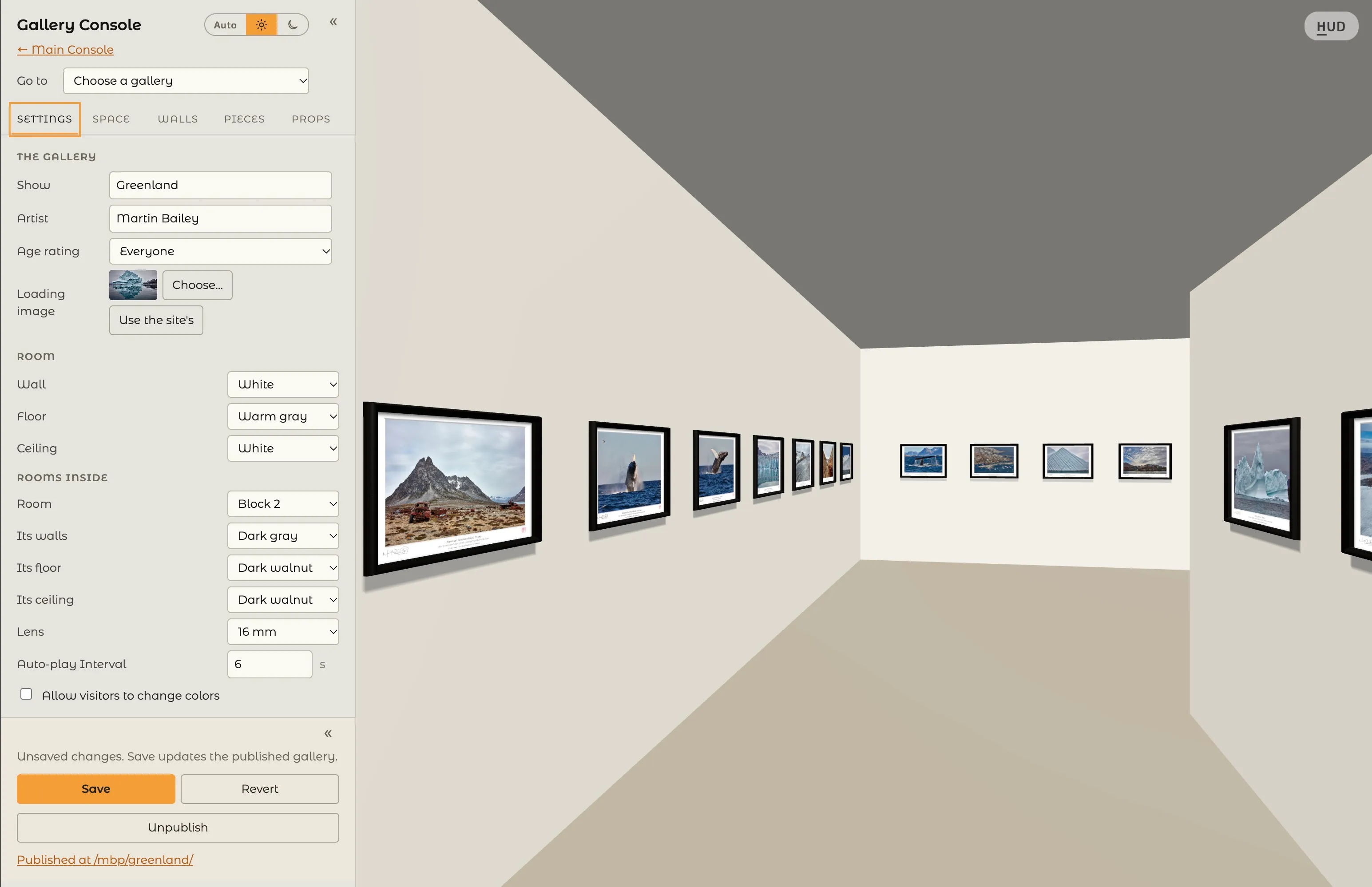
Finding Your Way Round the Console
Section titled “Finding Your Way Round the Console”- ← Main Console goes back to the Main Console, and Go to opens another of your Galleries.
- Six tabs hold its settings: Settings, Space, Outside, Walls, Pieces, and Props.
- « at the top tucks the Console away, and » brings it back.
- Auto, the sun (Light) and the moon (Dark), beside its name, choose how the consoles look, as in the Main Console.
- E opens and closes the Console from the keyboard.
Pressing Things in the Gallery
Section titled “Pressing Things in the Gallery”With the Console open, pressing something in the Gallery shows its settings, which glow for a moment:
- A bare wall opens the Walls tab at that wall.
- A piece walks to it and opens its settings on Pieces.
- A prop opens its settings on Props. A chair in a room’s rows opens that room on Space, instead of sitting in it.
- A wall label opens it on Props.
- A logo opens its settings on Props.
- A panel opens its entry under Panels on Props. On a gallery list, press anywhere but on a gallery’s row, such as its title; a row still goes to that gallery, and a drag still scrolls the list.
A wall, and a room’s closed door, always stand between you and what is behind them: a press never reaches a piece in another room.
Moving Pieces by Hand
Section titled “Moving Pieces by Hand”- Hold a piece to lift it, then press a gap on any wall to place it.
- Shift + press selects several pieces; press a gap to place them all.
- Esc cancels a move and puts the pieces back.
- On a wall with rows, a piece goes into the row at the height where you let it go.
Saving and Publishing
Section titled “Saving and Publishing”Changes are not kept until you save them.
- Save keeps your changes. If the Gallery is published, Save also updates what visitors see.
- Revert returns to what was last saved.
- Publish opens the Gallery to visitors at its address, shown as Published at /yourname/gallery/. Publishing needs your agreement to the Content Agreement, and at least one piece on the walls.
- Unpublish takes the Gallery away from visitors. Your arrangement and your pieces are kept, and Publish brings it back.
A published Gallery saved with no pieces left on its walls is unpublished; its address stays yours.