Main Interface Overview
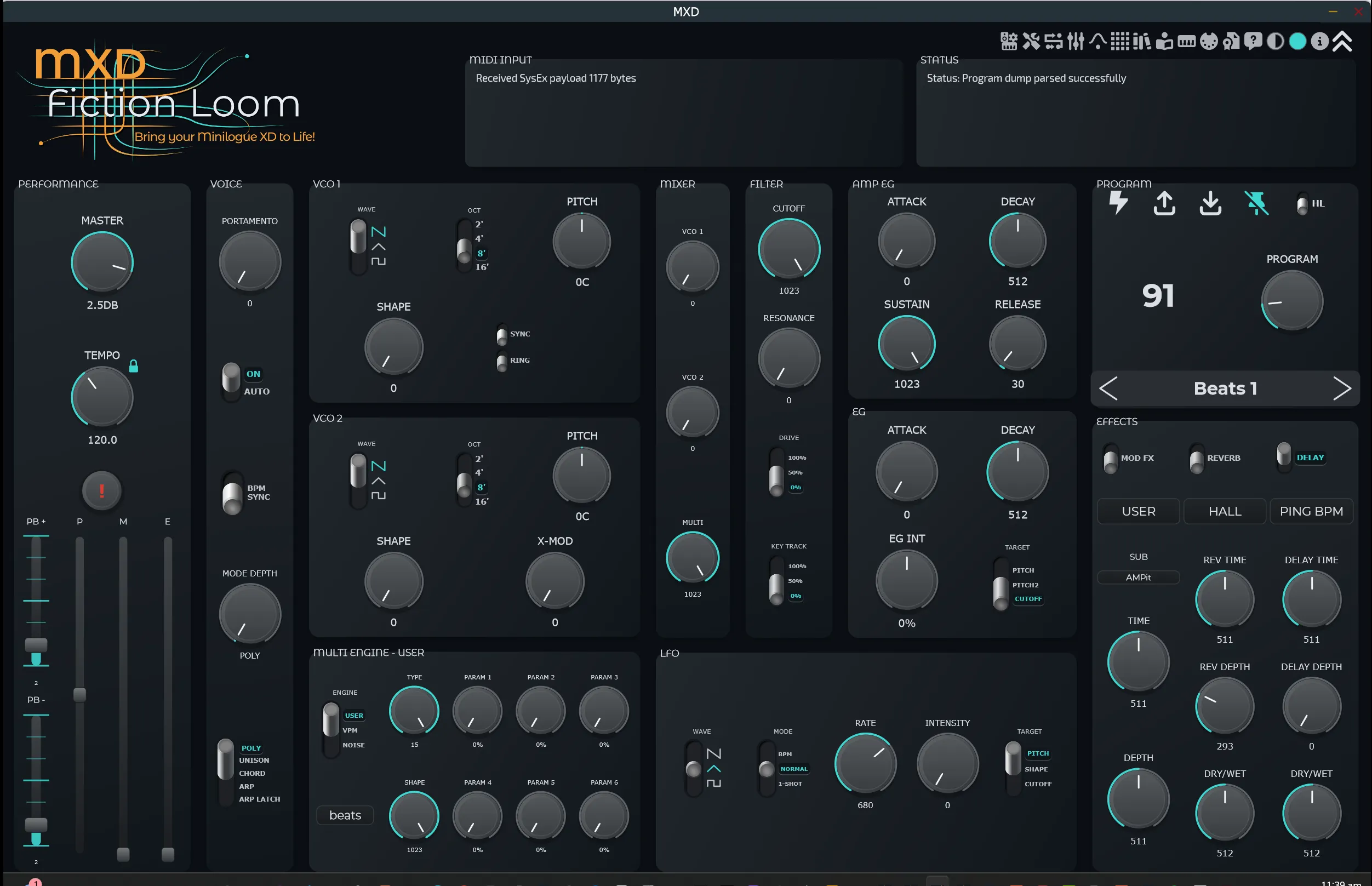
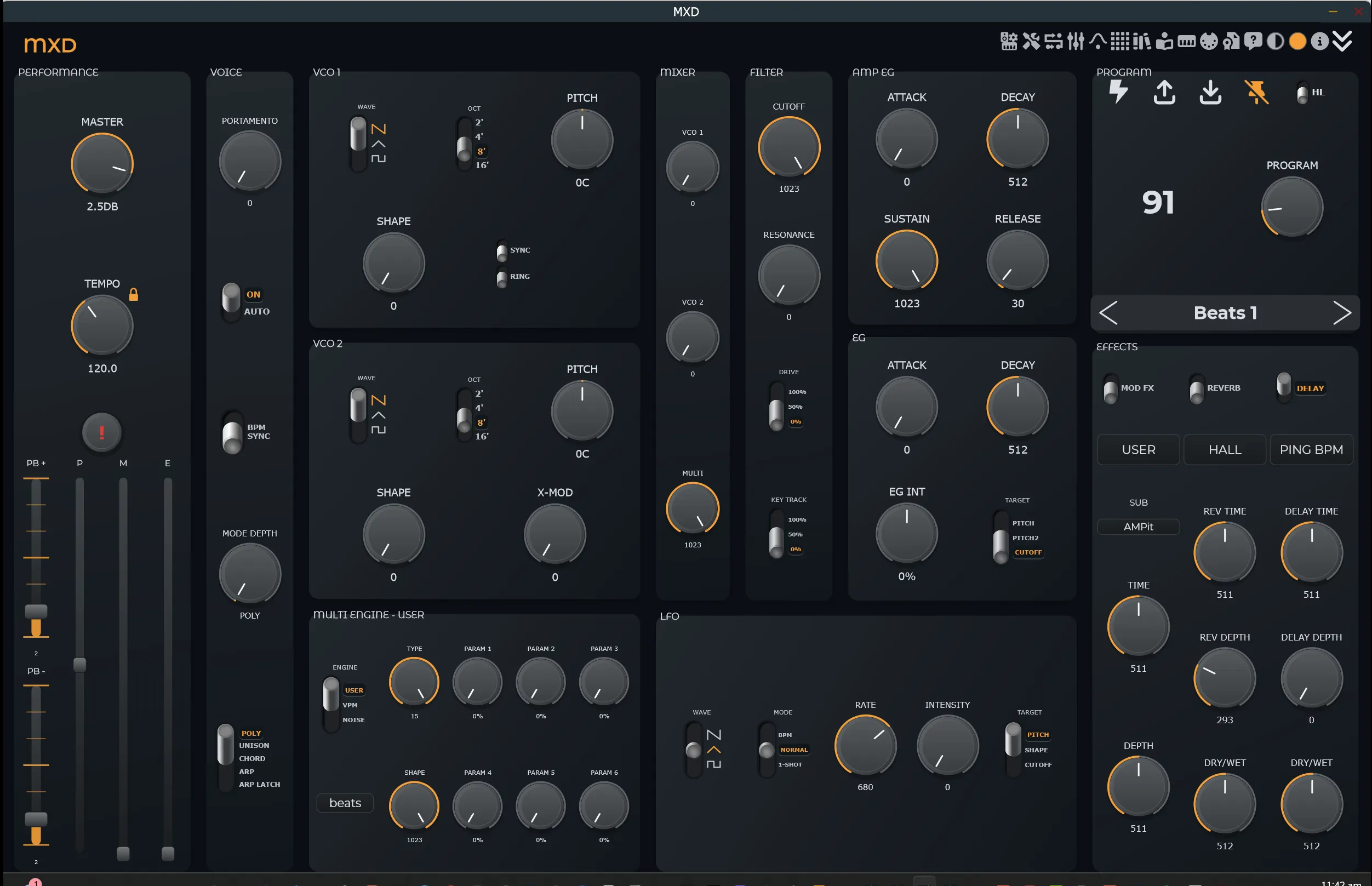
MXD follows the Minilogue XD signal flow, but presents it as a larger, more readable control surface. The main window includes:
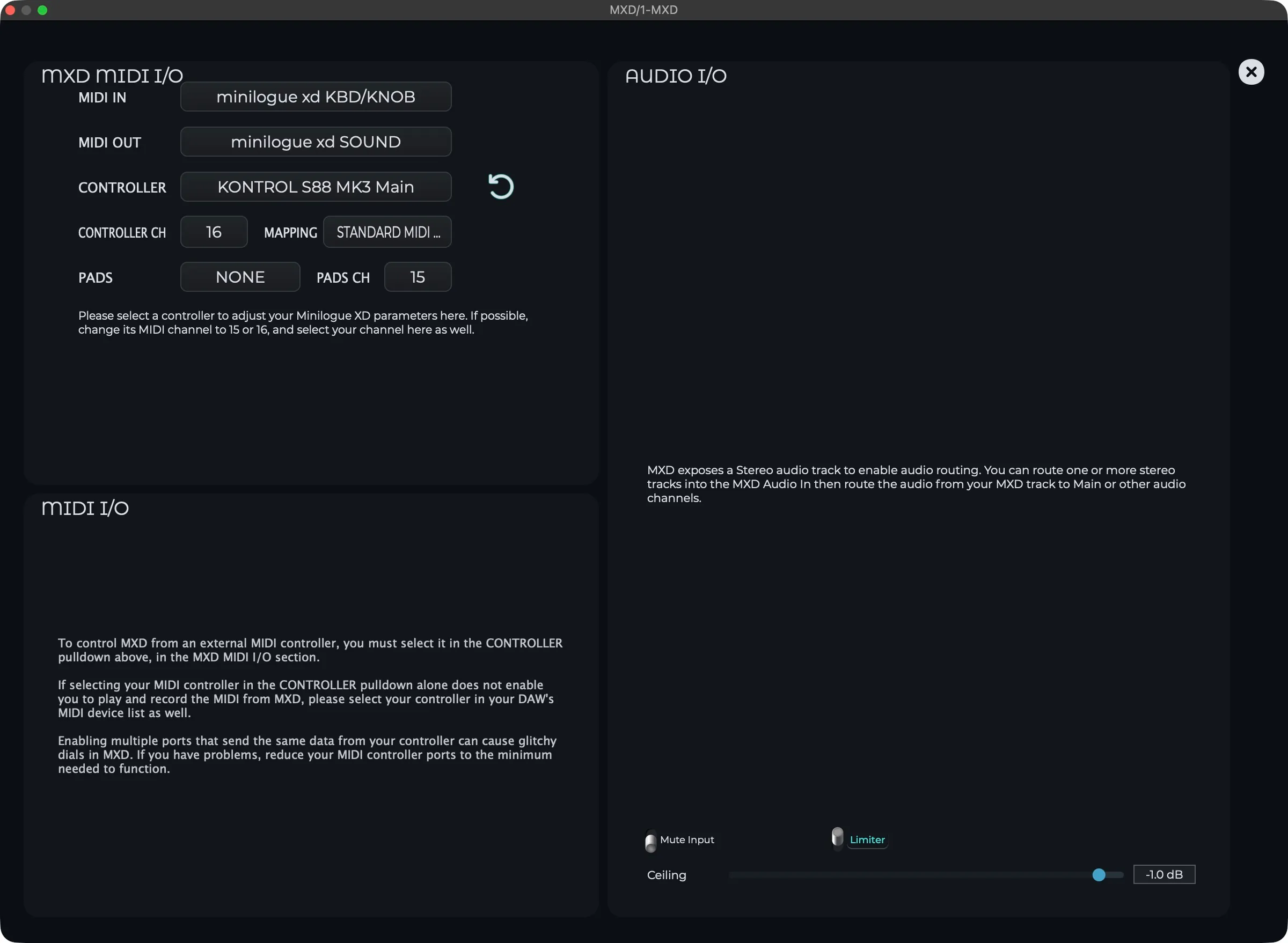
- MIDI input and output selection.
- Program selection and current slot display.
- Load and reset behavior for the current program state.
- Oscillator, mixer, filter, envelope, LFO, and effects sections.
- Performance controls for pitch, mod, and expression.
- MIDI Learn for external controller mapping.
- STATE CONTROL for DAW clip playback and restore handling.
- Sequencer and Motion editing for the Minilogue XD’s internal sequencer.
- SysEx import and export buttons.
- Access to Settings, Licensing, MIDI Learn, Advanced, Quick Help, and About areas from the right-side icon rail.
Secondary tools open in the header area rather than as separate panels. The header can be shown in full, reduced to a more compact layout, or collapsed to a minimal strip. In addition to using the double-chevron button to expand and contract the header, it will also shrink automatically as vertical space gets tight. When a header tab is active, MXD keeps the main control surface below it available for editing.
The right-side icon rail uses these main symbols:
- MIDI / Audio Settings: opens audio and MIDI routing settings.
- Advanced Settings: opens deeper Minilogue XD settings.
- Local Library: opens the Local Library and Set List editor.
- Sequencer: opens the sequencer and Motion editor.
- Motion: opens the Motion editor directly.
- Macro: opens the MACRO tab, to record Macros of your playing and knob moves, edit them in their lanes and play them back.
- Session Grid: opens the Session Grid, to chain Macros into a performance and play them from your pads.
- Keyboard: opens the software keyboard at the bottom of the MXD user interface.
- MIDI Learn: enters controller mapping mode.
- Licensing: opens activation and support controls.
- Quick Help: opens the numbered help overlay.
- About: opens version and attribution information.
- Accent Color: cycles accent colors, or opens custom color selection with SHIFT + click.
- STATE CONTROL: opens the plugin state restore overlay. (Only displays in plugin mode.)
Quick Help Overlay
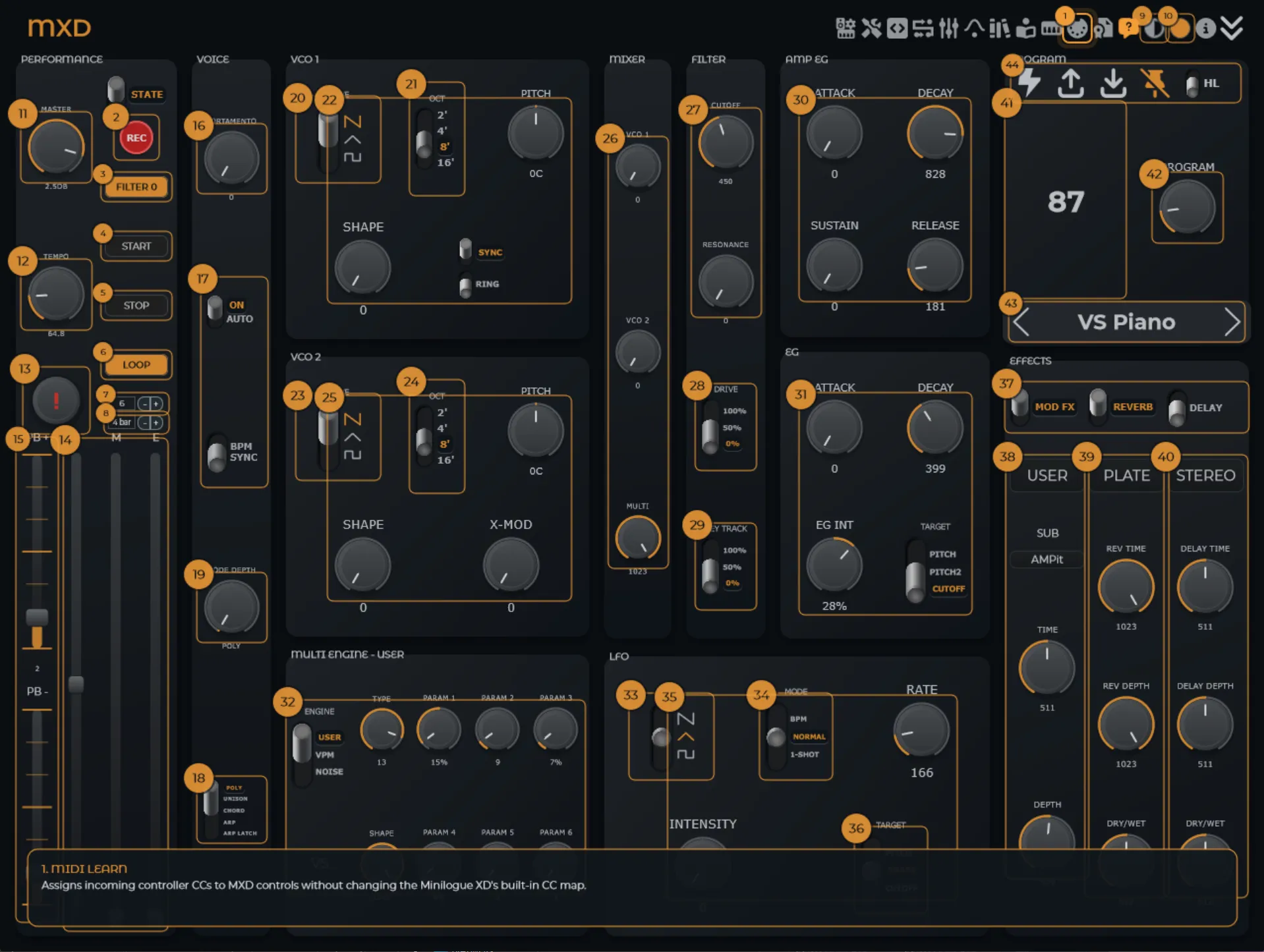
Section titled “Quick Help Overlay”The Quick Help overlay places numbered badges on the main interface. Click a badge inside MXD to read the live description. The screenshot below shows the same numbered layout, and the list that follows can be used as a printed/manual lookup.
- MIDI LEARN: assigns incoming controller CCs to MXD controls without changing the Minilogue XD’s built-in CC map.
- THEME: switches between dark and light themes.
- ACCENT: click to cycle colors; Shift-click to choose a custom hex color.
- MASTER: controls the Minilogue XD program level.
- TEMPO: sets the Minilogue XD’s tempo, the same as the Sequencer tab’s TEMPO. MIDI clock to the XD overrides it.
- PANIC: stops all sounding notes.
- PERFORMANCE SLIDERS: on-screen pitch, modulation and expression controls. In MIDI Learn, click M or E to edit up to three target dials.
- BEND RANGE: sets the positive and negative pitch-bend ranges.
- PORTAMENTO: sets glide time between notes.
- PORTAMENTO MODE: sets portamento behavior and whether glide timing follows BPM sync.
- VOICE MODE: selects poly, unison, chord and arpeggiator voice behavior.
- MODE DEPTH: adjusts the depth or intensity of the selected voice mode.
- VCO 1 WAVE: selects the oscillator 1 waveform.
- VCO 1 OCTAVE: selects the oscillator 1 octave range.
- VCO 1 SHAPE: adjusts oscillator 1 pitch and shape, plus the sync and ring modulation switches.
- VCO 2 WAVE: selects the oscillator 2 waveform.
- VCO 2 OCTAVE: selects the oscillator 2 octave range.
- VCO 2 SHAPE: adjusts oscillator 2 pitch, shape and cross modulation.
- MIXER: balances VCO 1, VCO 2 and MULTI ENGINE levels.
- FILTER: sets filter cutoff and resonance.
- DRIVE: adds filter drive at 0%, 50% or 100%.
- KEY TRACK: sets how strongly the filter follows keyboard pitch.
- AMP EG: shapes volume over time with attack, decay, sustain and release.
- EG: routes the secondary envelope to pitch, pitch 2 or cutoff.
- MULTI ENGINE: selects USER, VPM or NOISE mode, then chooses type and shape for that engine. VPM and USER add six parameter dials; USER dials follow each parameter’s type.
- LFO WAVE: selects the LFO waveform.
- LFO MODE: sets one-shot, normal or BPM-synced LFO behavior.
- LFO RATE / INTENSITY: sets LFO speed and modulation depth.
- LFO TARGET: routes the LFO to pitch, shape or cutoff.
- EFFECT ENABLES: turns modulation FX, reverb and delay on or off.
- MOD FX: selects modulation effect type, subtype, time and depth.
- REVERB: selects reverb style and adjusts time, depth and dry/wet mix.
- DELAY: selects delay style and adjusts time, depth and dry/wet mix.
- BANK: selects the Minilogue XD bank. MXD combines this with the program number before talking to the hardware.
- PROGRAM NUMBER: type a program number from 1 to 500, then press Return to jump directly to that slot.
- PROGRAM DIAL: moves through Minilogue XD programs and requests the matching program dump from the device.
- PROGRAM NAVIGATION: use the arrows to step through programs. The center name shows the current program name from the device dump.
- PROGRAM TOOLS: Reset/load resynchronizes the current program; Export saves a program file; Import loads a program file; Pin remembers this program number on reopen.