State Control
STATE CONTROL is designed for DAW clip workflows where the host may send parameter values back to the plugin and hardware at transport or clip boundaries.
The STATE CONTROL buttons are:
- FILTER 0: ignores host parameter-zero pulls that would otherwise drop synth parameters to zero.
- START: restores the current sparse restore seed when transport starts.
- STOP: restores the current sparse restore seed when transport stops.
- LOOP: restores the current sparse restore seed before the expected clip end.
- REC: captures the current transport run as the clip length when transport stops.
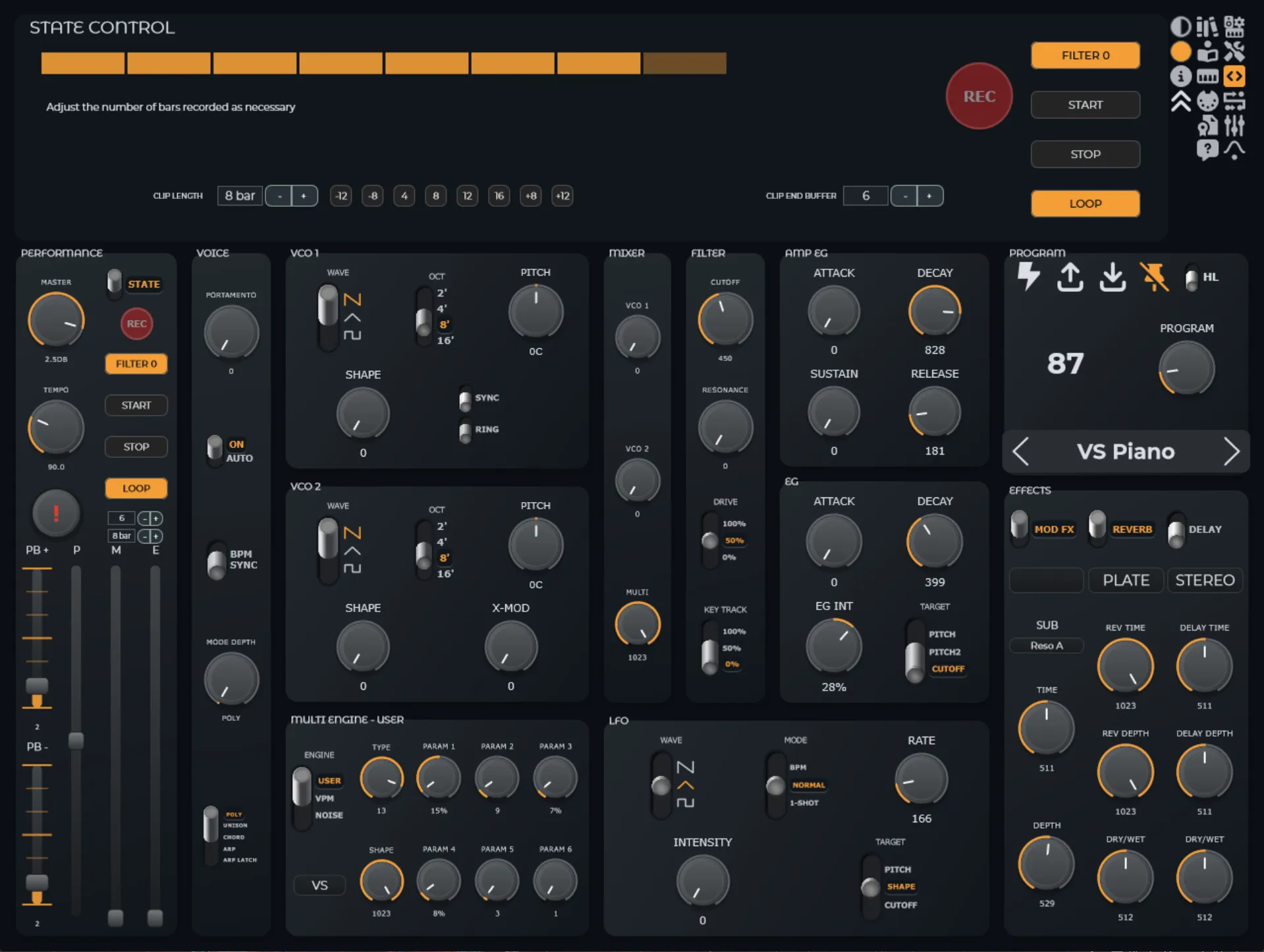
The restore seed is sparse. MXD tracks parameters that have changed from the current restore basis and restores only those changed parameters. This is much faster than restoring every parameter and avoids modifying the hardware program dump used for program compatibility. Use REC before recording a DAW clip, then stop transport to learn the clip length. Playback without REC no longer replaces the clip length automatically.
In the plug-in, click the STATE CONTROL icon in the icon rail to show the STATE CONTROL header overlay, and click it again to close it. The overlay includes:
- a larger REC button
- the FILTER 0, START, STOP and LOOP buttons
- Clip Length and Clip End Buffer editing
- quick length buttons
- a flashing countdown when LOOP is active during playback
When MXD runs as a plug-in, the STATE switch and the REC, START, STOP and LOOP buttons also sit in the PERFORMANCE section. STATE CONTROL is not available in the standalone app.