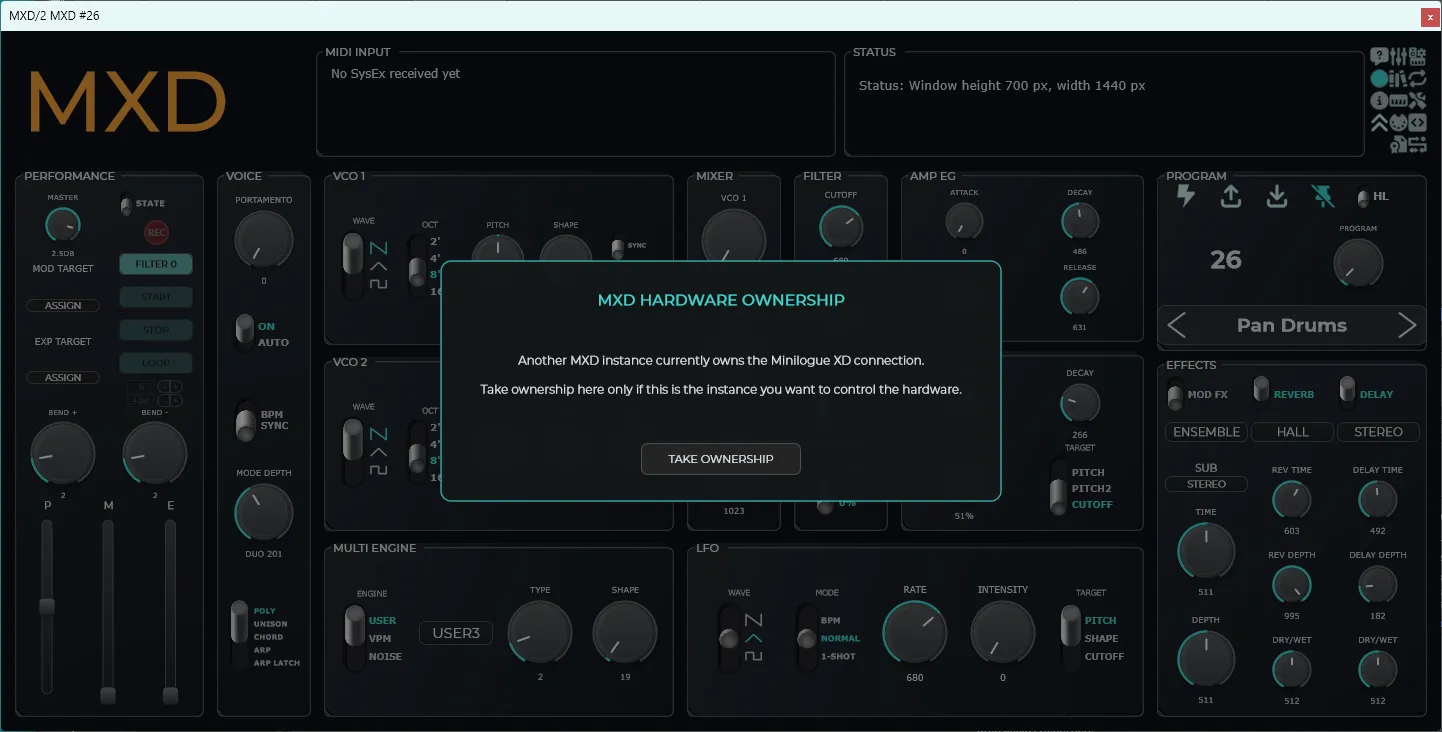
Multi-instance Ownership
When working in a DAW, your Minilogue XD can only be controlled by one track at a time. When you move to a new track, we disable earlier instances, while maintaining their settings. Rather than trying to guess your intent, when you return to a previous track, you will see the MXD HARDWARE OWNERSHIP message, and must click TAKE OWNERSHIP to re-engage that MXD Instance and connect to your Minilogue XD. When you do this, the instance you left behind will be disabled.